Buy anything from 5,000+ international stores. One checkout price. No surprise fees. Join 2M+ shoppers on Desertcart.
Desertcart purchases this item on your behalf and handles shipping, customs, and support to Sri Lanka.
🔥 Cool like a pro, perform like a legend!
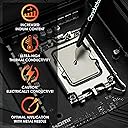
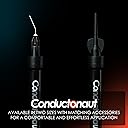
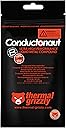
Thermal Grizzly Conductonaut is a 5-gram high-performance liquid metal thermal compound made in Germany, designed to dramatically improve heat transfer for CPUs, GPUs, and gaming consoles. Its electrically conductive formula delivers superior cooling efficiency favored by professional PC manufacturers, while the precision syringe ensures easy, accurate application. Ideal for high-thermal-density chips and power-hungry setups, Conductonaut offers long-term stability but requires careful use on compatible surfaces like copper and silicon to avoid damage.


| Best Sellers Rank | #23 in Silicon Grease |
| Customer Reviews | 4.5 out of 5 stars 335 Reviews |
B**3
Superior, but use caution.
This is not a product for anybody other than extreme overclockers or others a lot of experience with PC building. While it does provide better cooling, there are some cons I ran across. The first being is it’s nearly impossible to pick up as it has a mercury like texture. Second, I installed my cooler on top of my processor and sat my tower up. I later noticed that this coolant leaked out onto my motherboard and ruined it. I put only a pea sized amount. Do your research before buying this as a normal paste will do just fine. I cannot give this a bad review as I couldn’t use it properly because of likely human error, however, just use caution while using if you decide this route.
M**G
Being careful and having patience can really pay off
TL;DR: AMD Threadripper 2950x paired with Corsair H115i Platinum RGB water cooler, 'balanced' fan mode speed (~1100 rpm) on radiator. Corsair OEM, pre-applied thermal paste - idle 104F, load 157F. Conductonaut applied - idle 98F, load 149F; both tests 10-15 minutes of Prime95. MAIN REVIEW: I have the AMD Threadripper 2950x 16c/32t paired with the Corsair H115i Platinum RGB cooler. The 2 Corsair fans on the radiator are spinning at ~1100rpm each. My typical workload consists of running 2 Windows VMs simultaneously on a Windows 10 host. I initially used the pre-set thermal paste from Corsair pre-applied to the copper-block and idle averaged ~104F. Disassembled, cleaned, and added the Conductonaut and now seeing idle temps average 98F, with temps dipping as low as 89F. Room ambient temperature is 72F. Threw up some Prime95 testing and prior with the stock thermal paste, I hit 157F after 10 minutes. After 10 minutes with the Conductonaut, maxed out at 149F. Both radiator fans were spinning at 1260rpm, pump at 2420rpm; the fans were set at a 'performance' level of 'Balanced' within the iCUE software. I set the performance-mode for the fans at 'Extreme', they both started spinning at ~2150 rpms. After 5 minute the temp bounced between 141 and 143F. For the last 3 minutes, temp hit and sat at 149F. The CPU of all cores was bouncing between 3650 and 3700 MHz. iCUE reported the water temp at 30.8C. For another 5 minutes I let Prime95 continue running. Temps did not change. For anyone who has ever messed with Gallium in its liquid form will know what to expect from messing with Conductonaut. Try to pinch Gallium (or Conductonaut) in your hand and it'll just pop out the side...the same thing will happen when you assemble your heatsink base to the CPU block; which there is a reason the instructions say "apply a pin-drop" and [try] to spread it out. Put too much on and it'll spit out the sides! Don't put your heatsink on slowly and it can actually splatter out the sides as well. Take your time and be patient while trying to spread the liquid metal around - it will naturally glob-up and stick to the supplied Q-tip at times. Try your best. For a little pin-hole application, the results can be quite impressive! For my system, I do not plan to de-lid anything (no point for the CPU since AMD uses Indium solder between dies and heatsink). What I get out of this are some degrees cooler temps running and also longevity, not having to re-apply thermal solutions every few years due to the thermal solution drying up and/or losing its thermal conductivity efficiency over time. THINGS TO CONSIDER: Use the supplied Q-tip to spread the liquid metal around the heatsink as it's quite compacted unlike regular Q-tips that give off some fibers. A teeny-tiny application goes a long way! Also, make use of the additional supplied adapter-tip to suck up any excess application. Keep the plunger open-end and pointed up until it is over where you will be applying it. The liquid metal can fall out and splatter all over, even a little droplet! The liquid metal is very reflective and shiny. Try to examine afterwards with a flashlight after the heatsink is applied if any of the application plopped out the sides - I was able to see a shiny reflection just under the heatsink that I sucked up and cleaned (before plugging and turning system on). Be careful when moving your computer chassis. Any excess that is not spotted and cleaned up could fall and bounce around in your chassis during transportation. Wear latex/nitrile gloves if you mind your hands staining; if you get some liquid metal on your hands they'll be gray for a little bit.
M**H
10/10 recommend this product to experienced system builders.
Before even considering using this product please do your own research. Metallic-based thermal pastes easily fry your system if you do not use and apply it correctly. Also, aluminum heat sinks are not compatible with this product since paste forms an amalgam with aluminum and, therefore, corroded your aluminum heat sink. Overall though this is a splendid product if used correctly. My workstation laptop CPU and GPU temps have greatly improved (dropped by 20° C). I recommend this to anyone that knows what they're doing when using metal-bases thermal pastes.
P**R
Unable to removed AIO and CPU after 2 years
Products was really nice and performed perfect. I have a delid 8700k with copper top. After 2 years. I was going to upgrade to 9900k. Man that is glued tight and I am unable to separate AIO from Cpu. Tried and tried. Wiggle the AIO. Nothing seems to work. And I don’t want to break my MB at all. So oh well.
B**1
Great temperatures as expected, but certainly not for everyone.
If you are not super careful and put a little too much, it can be a literal pain in the a** to clean it up. The included LM remover does not really help; I spilled the entire tube on my carpet because it just erratically bursted out. Im lucky it did not hit any electronics because it would have been a bad day for sure. The best way to reclaim any extra LM, is to either use the remover tool and squeeze a tiny bit of LM to the point it gets on the tip of the tool, then connect it to the LM drops, or you could take the removal tool off and seep it up with the LM thats in the tube. The included instructions are not helpful for removal, but once you get the hang of it, it'll be fine.
S**D
Excellent PC cooling paste
If you know what you are doing, this is the best product to cool your PC/Laptop. I use it on a laptop and so far hasn't faced any problems and my laptop runs very cool even on heavier loads.
A**Z
Used on PS5
Worked great on PS5 overheating issue
S**A
Didn't give me any benefits and too many headaches.
I watched many videos on tips and tricks on how to apply this stuff. From GN to JTC and tons of others. I'm not scared of getting into the nuts and bolts of things, so other than being careful, slow and mindful of the amount of this stuff you use, easy-peasy. I didn't see any benefits as my 13700f in a SFF case (NR200p w/Cooler master 280 AIO) would shoot up to near max temps. It would hover around low 90's after the initial ramp-up. After checking multiple times if I applied enough, did I spread it out properly, is my cooler seated correctly, etc etc I removed this stuff, put on some Arctic paste and did same test which mid-70's is where my temps maxed out at. I double checked videos and reviews that says to not let it pool up anywhere and it should be a smooth thin coat on both the cpu block and cooler block. Either I got horrible warped contact plates, didn't use enough, used too much...whatever, it's not worth the hassle for a few degrees, at best. That min/maxing is for the birds. I don't entirely blame the product as I am fully aware it could be my inexperience at using this stuff.
T**O
Unübertroffende Wärmeleitfähigkeit!
Ich habe nun knapp über 20 Laptops und Rechner (CPU+GPU) damit überarbeitet und dabei keine 10 Gramm Flüssigmetall verbraucht. Das Zeug ist ergiebig! Es ist recht einfach zu handhaben. Vergesst nicht mit etwas Nagellack die umliegenden Kontakte zu benetzen um eventuelle Kurzschlüsse zu vermeiden und dann kann fast nichts mehr schiefgehen. Es wird sehr dünn aufgetragen und der Effekt ist gigantisch. Fast jeder Laptop hat nun eine 20 Grad geringere Kerntemperatur. Bspw. Ist bei meinem XPS 13 die maximale Taktrate von 2,2GHz (thermal throttling bei 101° C) auf 3,5GHz gestiegen bei ~80-85°C. Die Lüfter und Kühlrippen waren davor schon sauber und es ist so nur auf den Effekt des Flüssigmetalls zurückzuführen. Selbst bei einer guten Wasskühlung sind nochmal ein paar Grad damit rauszuholen. Das ergibt bei modernen GPUs wie der 1660 Ti oder 2080 nochmal ein paar MHz mehr Takt. Wobei ich allerdings sagen muss, dass mich das +/-1 FPS nicht interessiert, sehr wohl aber die gesunkenen Lautstärke und auch die gesunkene Temperatur. Ich benutze es auch schon seit über einem Jahr und habe noch keinen Nachteil feststellen können. Seitdem nutze ich es fast ausschließlich.
A**.
It drops temperatures with a caveat.
The thermal conductivity is higher than any paste I've tried before. It shouldn't be used on aluminum heatsinks. It will harden in place after a while, bonding the CPU to the cooler. Taking the cooler off after this it will be difficult and destructive. All these being said, if you never plan on changing the CPU or the cooler, this is the best way of achieving the lowest temperatures.
D**N
Brings down the temperatures massively!
I bought a 5g tube of liquid metal so I can start delidding multiple CPUs as a hobby. I have never seen such massive improvements on temperatures until I have used this! Running an i7-4790k @ 1.3V was registering 81°C, whilst the same settings, although delidded, and with this applied, the temperatures dropped to 62°C! Stock temperatures have also dropped around 17°C! A more recent project, delidding an i3-8350k, showcased a drop of 13°C on stock clocks - there's quite a bit of difference as the i3's die is smaller than the Haswell Refresh i7s. If you are considering on delidding a processor, this is probably the best material you can get! Best results on processors with larger die area!
J**B
si jala bien pero tengan mucho cuidado
la arruiné al aplicar la pasta, a la mínima fuerza, se te chorrea todo, y eso me pasó, y cayó encima de todo el procesador, lo bueno es que tiene un mini tubito y pude succionar todo, el problema, es que quedó con mucho aire dentro del tubo y en mi desespero por sacar ese aire, sin querer quité el émbolo y se me cayó otra vez todo el metal en la placa, por suerte tenía un mini reciente al lado y puse todo el metal que le quedaba al tubo y fui succionando de a poco y poniéndola en el recipiente hasta que ya no quedaba nada, se formó una mega bola de como de 1x1 cm, y ya saqué todo el aire al tubo y succioné todo, lo malo es que el émbolo quedó hasta el final, así que si lo vuelvo a usar, tendré que vaciarlo en alguna parte para no regarla de nuevo, espero no se oxide, si no 1200 $ a la basura jaja
H**L
muy buen producto
De las mejores marcas para pasta térmica y metal liquido.
Trustpilot
2 weeks ago
3 weeks ago